
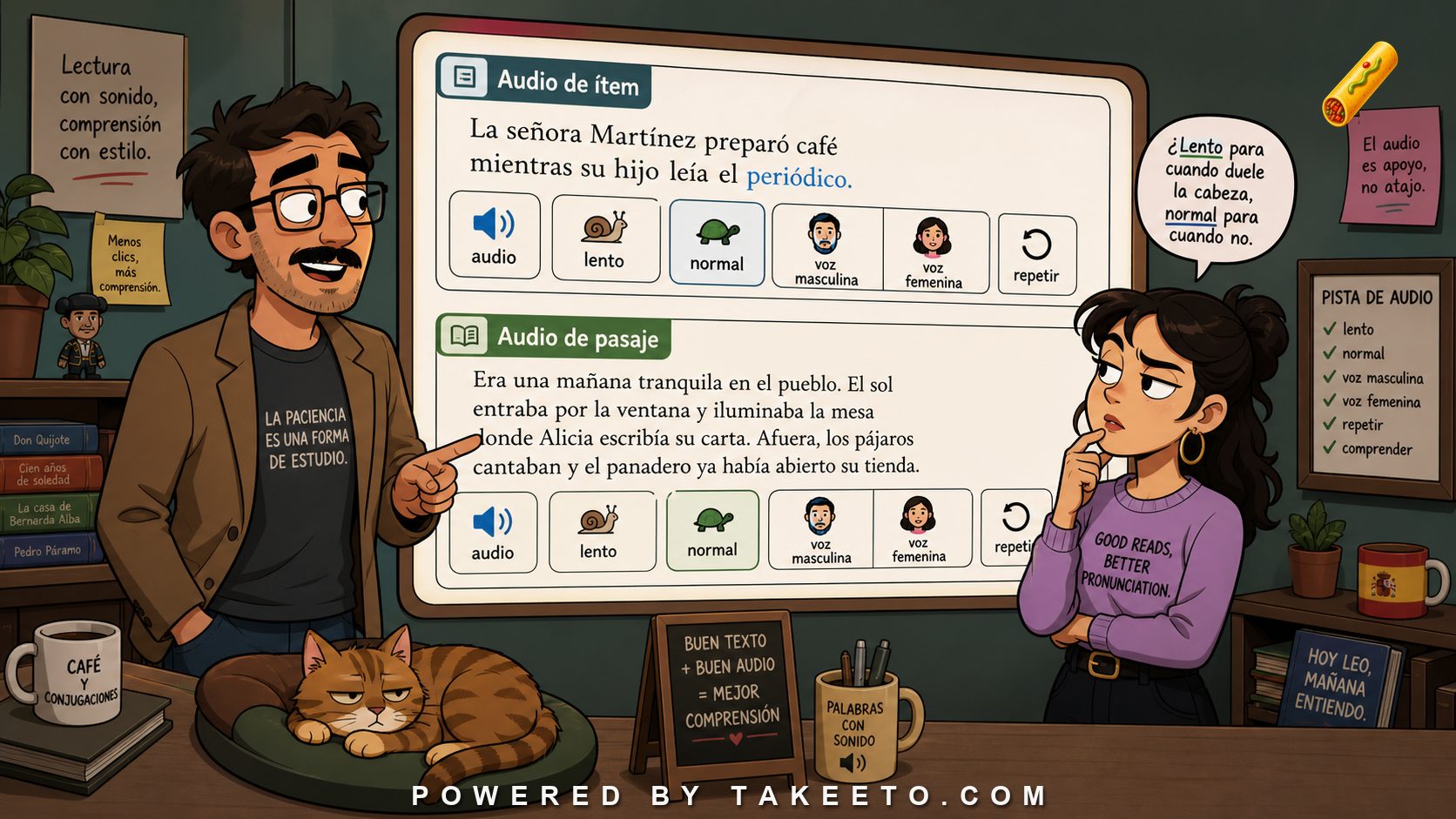
An audio button is a learning promise
Audio in a reading interface is not an ornament. For Spanish learners, it connects spelling to pronunciation, stress, rhythm, and phrase grouping. But audio controls can also clutter the page, interrupt reading, or create confusion about what will play. A serious interface must decide where audio belongs, what kind of audio is being offered, and how the learner should use it.
The basic distinction is between full-passage audio and item audio. Full-passage audio teaches flow: sentence rhythm, intonation, stress groups, and connected speech. Item audio teaches accountability: how this word or expression sounds in isolation or near-isolation. Both matter. They should not compete visually.
The practical rule for this article is simple:
Audio buttons should make Spanish sound available without making the page chaotic.
That rule is easy to state and hard to implement. It requires a curriculum designer, teacher, or serious independent learner to look past the visible artifact and ask what the artifact is doing in the learning system. A card, passage, note, audio button, PDF, notification, or metric is never just a feature. It is part of the learner's encounter with Spanish.
Audio controls should serve a study action
A reading interface should make audio purpose visible. A passage-level button belongs near the title or passage header. It might offer slow audio for segmentation and normal-speed audio for listening transfer. Item-level audio belongs inside glossary popovers or cards, not necessarily beside every highlighted word in the passage. Replay controls should be predictable: tap once to play, tap again to replay or stop, depending on platform convention.
Speed labels should not be vague. “Slow” should mean intentionally segmented but still Spanish. It should not sound like robot syllables. “Normal” should be natural, with real phrase rhythm. If the product uses multiple voices, the interface should clarify whether variation is intentional. Voice variation can help listening robustness, but random variation can confuse learners if accent, speed, or quality changes without explanation.
Accessibility matters. Buttons need labels for screen readers, sufficient hit targets, visible loading states, and offline or download behavior when promised. Audio should not auto-play in ways that embarrass users in public or make reading feel unsafe. A learner should control when sound begins.
The strongest design habit is to separate the learner-facing experience from the hidden support structure. The learner may see a clean passage, a small note, a speaker button, and a short exam. Behind that simplicity should be clear metadata: item identity, grammar role, register, audio status, review status, translation alignment, and assessment purpose. Good learning design often feels simple because the complexity has been organized, not because it has been ignored.
Annotated audio-control map
| Design element | What it checks or supports | Spanish-learning consequence |
|---|---|---|
| Full-passage slow audio | Helps segmentation, stress, and form awareness. | Best before or during close reading. |
| Full-passage normal audio | Builds rhythm and listening transfer. | Best after comprehension work or repeated reading. |
| Item audio | Pronounces a word or expression. | Useful inside glossary or flashcard views. |
| Usage-sentence audio | Gives phrase-level context. | Bridges item knowledge and passage listening. |
| Voice variation | Different speakers or voices. | Useful if controlled and labeled. |
| Replay behavior | Easy repeat without losing place. | Supports shadowing and focused listening. |
The table is not meant to turn learning into bureaucracy. It is meant to prevent vague praise. A curriculum artifact should be able to answer concrete questions: What does this teach? What does it assume? What can go wrong? What evidence would show that it is working? Where does the learner receive help if the item fails?
Spanish-specific stakes
Spanish makes these design decisions visible because the language is full of contrasts that cannot be solved by exposure alone. Learners need repeated contact with ser/estar, por/para, preterite/imperfect, object pronouns, se, agreement, article use, register, and regional variation. A product or curriculum that treats every item as an isolated translation will underprepare the learner for real text.
The issue is not that Spanish is uniquely impossible. The issue is that Spanish has structure. The learner must be given enough of that structure to make input intelligible and enough retrieval to make knowledge durable. A passage without review becomes a reading experience that fades. A card without context becomes a brittle memory. Audio without text may not teach spelling. Text without audio may teach silent mispronunciation. Explanations without examples become abstractions. Examples without explanations can create false rules.
The cure is integration. A Spanish item should move through several linked forms: it appears in context, receives a translation or gloss, is heard, is reviewed, is tested, and returns later in a different context. Each contact should add something. Repetition alone is not the same as cumulative design.
Edge cases and mature design questions
Audio controls also need to respect reading mode. During first reading, a large audio toolbar may distract. During listening practice, sentence-level replay may be central. During shadowing, loop controls and speed comparison may matter. The same passage can support several modes, but the interface should not show every control all the time.
A mature reading interface can reveal controls progressively: passage-level buttons in the header, sentence replay on selection, item audio inside popovers, and deeper practice controls in a listening mode. That keeps the page calm while preserving power.
| Edge case | Why it matters | Better handling |
|---|---|---|
| First reading | Learner needs text focus. | Keep audio controls simple and unobtrusive. |
| Listening mode | Learner needs replay, speed, and sentence focus. | Expose richer controls deliberately. |
| Accessibility mode | Learner may rely on screen readers or keyboard navigation. | Use semantic labels and predictable focus order. |
Edge cases are useful because they reveal whether the model is real. A shallow rule works only in the clean example. A strong curriculum principle survives versioning, regional variation, learner differences, and product constraints. For Spanish, this matters because the learner will eventually meet forms outside the first example bank: another accent, another register, another tense, another passage genre, another medium.
A mature design does not need to solve every edge case in the first lesson. It does need to know where the edges are. When the course chooses not to explain something yet, that should be a deliberate sequencing decision, not ignorance disguised as simplicity.
Diagnostic workflow
- Separate passage audio controls from item audio controls visually and functionally.
- Label speed clearly: slow for segmentation, normal for natural listening.
- Keep buttons accessible, large enough, and screen-reader labeled.
- Avoid auto-play unless the learner explicitly chose a listening mode.
- Make loading, download, and offline status visible.
- Audit whether audio controls support reading or distract from it.
This workflow works best when it is used before publication rather than after learners complain. Retrofitting quality is expensive. It requires finding the passage, rewriting the sentence, updating the translation, changing the glossary, regenerating audio, revising the PDF, and rebuilding exams. Early diagnostic habits keep the curriculum from accumulating hidden debt.
Common failure patterns
- Putting a speaker icon beside every word: The page becomes noisy and learners stop seeing the text.
- Offering speed without purpose: Slow and normal audio should support different tasks.
- Using inconsistent voices without explanation: Variation should be pedagogical, not accidental.
- Ignoring public-use contexts: Learners may study on buses, in libraries, or at work breaks.
- Making replay difficult: Listening practice depends on repetition.
These mistakes share one cause: treating the visible feature as the whole product. A learner does not experience a Spanish item only once. They meet it in a deck, a passage, an example, a translation, a voice, a note, an exam, and a review queue. If those encounters disagree, the learner pays the price through confusion. If they reinforce one another, the learner gains a stable model.
A concrete curriculum scenario
A strong passage header might show two buttons: Listen slowly and Listen at natural speed. A highlighted word such as plazo opens a glossary popover with the word, translation, part of speech, and a small item-audio button. A sentence-level replay option appears after the user selects a sentence. This keeps the main reading page calm while giving precise audio support when needed.
Notice the larger principle: the best design choice is usually the one that makes the next learning contact better. A good example sentence prepares better audio. Good audio prepares better listening review. A good glossary note prepares better reading. A good exam mistake prepares better spaced review. The curriculum should behave like a system rather than like a collection of assets.
What the reader should be able to do after this article
After working through this article, the reader should be able to inspect a Spanish-learning artifact and ask sharper questions. They should be able to identify the learning purpose, name the likely failure mode, and propose a repair that improves the next learner encounter. In practical terms, that means moving from vague judgments such as “this feels good” or “this is confusing” to specific diagnoses: the example is unnatural, the audio is mismatched, the translation hides the construction, the review prompt tests recognition rather than recall, or the note explains too much at the wrong moment.
The deeper habit is accountability. Every piece of a serious Spanish curriculum should be able to justify its presence. If it cannot, it should be revised, moved, linked, hidden, or removed.
Implementation checklist
For this topic, implementation should start with the article's own example bank: slow, normal, male voice, female voice, item audio, passage audio, replay. Choose one representative item or artifact and trace it through the system. It should have a learner-facing purpose, a hidden data representation, a place in review, and a remediation path if something goes wrong. If the topic is not a single vocabulary item, trace a unit-level artifact instead: a passage, PDF, notification, metric, audio control, or exam.
- Name the learner action this design supports: reading, listening, retrieval, production, diagnosis, or long-term review.
- Name the hidden metadata needed to support that action: item ID, form, register, variety, audio status, version, prerequisite, or mistake link.
- Name the failure that would most damage trust, then build the audit check that catches it before publication.
A design is not mature because it has many parts. It is mature when those parts can be inspected, repaired, and explained.
V2 remediation refinement: audio controls need accessibility and study-state logic
The first draft treated audio buttons as reading support. The v2 upgrade adds two product requirements: accessibility and study-state logic. A language app should not add audio buttons as decorative icons. It should define what each control does, how a keyboard or screen-reader user reaches it, whether playback is labeled, and how the learner’s study state changes after listening.
A serious reading interface may need several audio actions:
| Control | Learning purpose | Interface requirement |
|---|---|---|
| full passage, slow | segmentation and form awareness | clear speed label, replay, no autoplay |
| full passage, natural | rhythm and listening transfer | same voice/variety label as passage metadata |
| sentence audio | syntax, prosody, and collocation | play near the sentence without moving focus unexpectedly |
| item audio | pronunciation of target item | include articles/pronouns/prepositions when part of the item |
| download/offline | repeated listening away from screen | visible status and file size where relevant |
Audio controls also need state rules. Listening once to slow audio should not mark an item as mastered. Replaying sentence audio may count as exposure, but not as retrieval. Choosing item audio after failing an exam may be evidence of repair behavior. Analytics should not collapse these actions into a generic “engagement” score.
Accessibility is part of pedagogy here. A learner should not have to guess which icon is slow audio and which is natural audio by color alone. Controls should have text labels or accessible names. Playback should be pausable. Status messages such as “downloaded,” “playing,” and “failed to load” should be available without stealing focus. Where audio is tied to text, the transcript is already present, but the interface still has to make the relationship clear.
The remediation rule is blunt: if an audio button cannot say what learning action it supports, it probably does not belong on the page.
Suggested interactive module: Passage header audio control mockup
Passage header audio control mockup. The tool would prototype audio buttons for slow passage audio, normal passage audio, sentence replay, and item audio. It would test visual clutter, tap behavior, accessibility labels, offline indicators, and whether the learner can keep their place while replaying a difficult sentence.
A useful implementation would also preserve an audit trail. When a designer changes a sentence, the tool should reveal downstream effects: translation, highlights, audio, PDF, exams, and review data. When a learner misses an item, the tool should reveal upstream causes: weak example, poor contrast, missing audio, or a misleading note. The module should not merely display content. It should make relationships inspectable.
Final rule
Audio buttons should make Spanish sound available without making the page chaotic. Separate passage flow from item accountability, label purpose clearly, and give learners control.
For serious Spanish learning, quality is not one decision. It is the alignment of content, explanation, sound, retrieval, assessment, and learner trust. When those parts agree, the learner can spend attention on Spanish instead of fighting the curriculum.